Your services
People waiting for one service often don’t know about your others. A short slide tells them without anyone having to sell.
TV for any waiting room
People in your waiting room are already looking at the TV. Show them your services, what to do next and when you’re open, instead of someone else’s commercials.
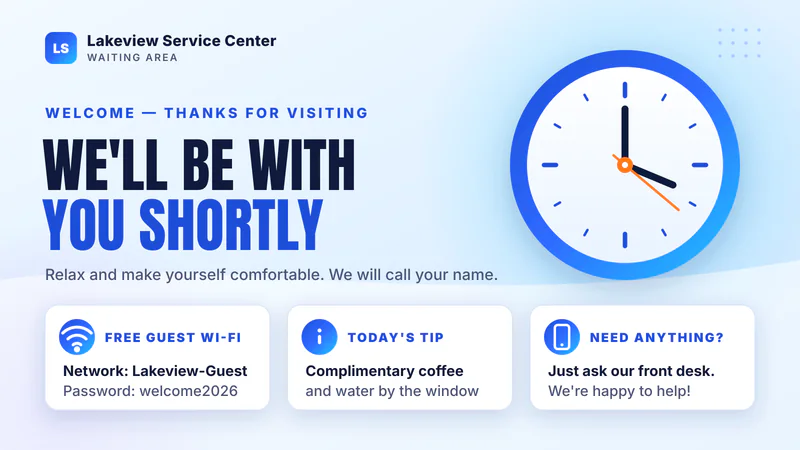
A few ideas that work well in any waiting room. You decide what actually runs.
People waiting for one service often don’t know about your others. A short slide tells them without anyone having to sell.
Forms to fill out, who to ask, how to book a follow-up visit and where to pay.
Holiday hours and weather closures, posted in the room before anyone has to ask.
A small, useful reason to glance up, right beside your message.
In this browser demo, scan to join the sample queue, check your place in line and see an estimated wait. The TV uses ticket numbers for privacy.
Try demo check-inYour audience is seated, unhurried and facing the screen. Few places give a message a better chance of being read.
Post the answers your front desk gives all day, and let the TV share them.
Something useful to read beats a blank wall or a muted news channel.
Every visit becomes a chance to mention what else you offer, in your own words.
A channel is what’s playing; a TV is the screen showing it. Here’s one way an office might use its five. One update reaches every TV on that channel, and you preview it first.
Every channel, every TV and every update for one monthly price. No per-TV fees.
Short messages people can read at a glance: what you offer, what to do next, your hours and the weather. Slides rotate on their own, and you choose how long each one stays up.
Yes, on the TVs you choose. A TV showing Ads Extreme shows your channel, and any other TV can keep showing whatever it shows now. TV programming is not included.
Open Slideshow in your dashboard to add your logo and the information visitors need. Preview your work before publishing.
Only $99/month. Pricing is before applicable tax. The plan includes up to 5 channels and up to 10 slides per channel on unlimited TVs, with no per-TV fee. Hardware is separate. See exactly what is included.
Add your logo and visitor information, then update them from your phone whenever something changes.
Questions first? Tell us about your business and your TVs.